
RICOH360 App Version Upgrade Information <v1.24.0>
A version update is now available for the RICOH360 App.
■New Feature
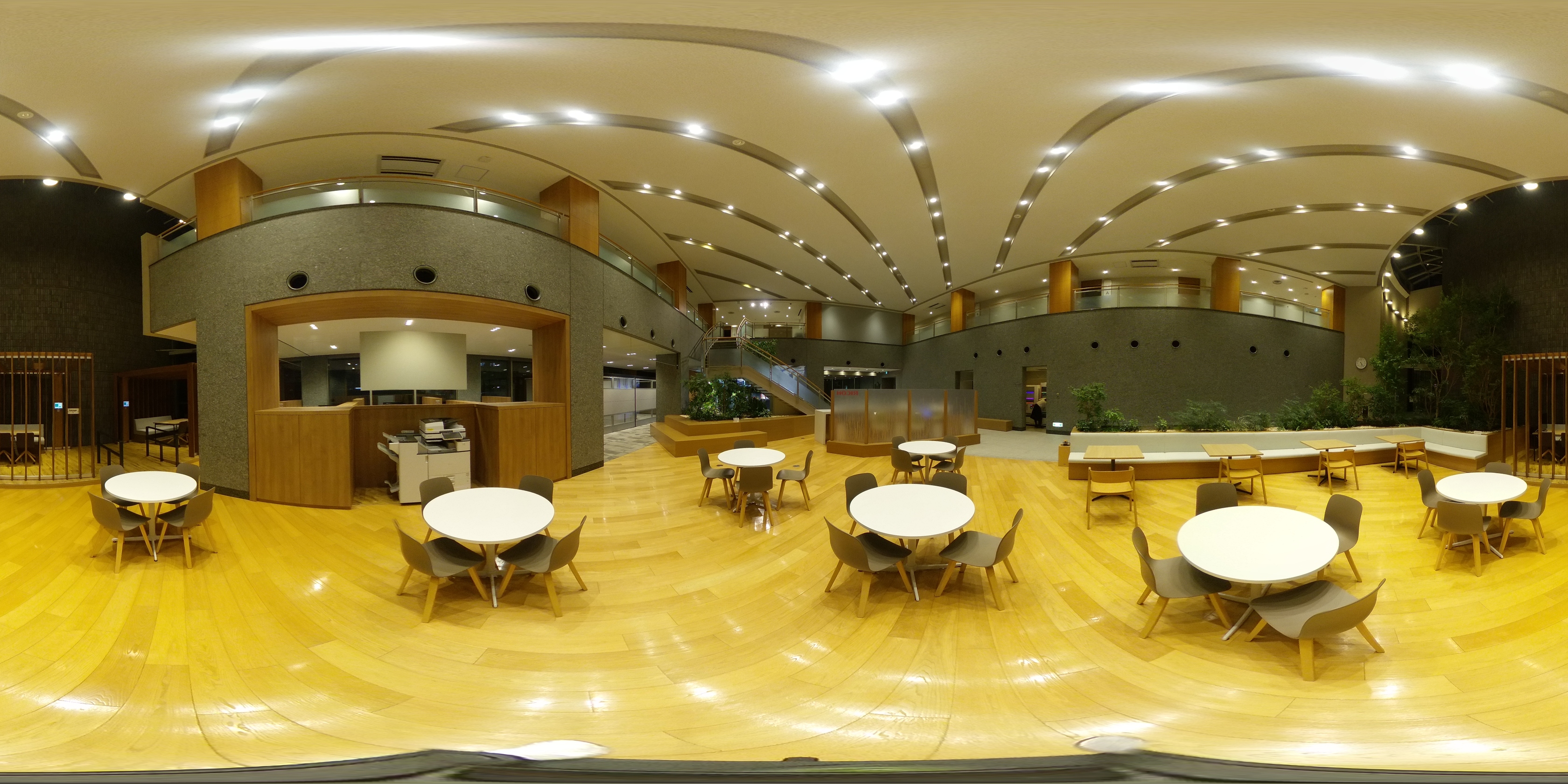
・We have added a feature to the still image shooting settings that allows you to adjust the intensity of color correction when using Auto White Balance.
Depending on the shooting environment, you can intentionally adjust the look of your photos by selecting [Low] to preserve the warm ambiance of lighting (such as incandescent bulbs), or [High] to minimize the influence of the lighting and bring the subject closer to its natural colors.
*This setting is only available when White Balance is set to “Auto.”
Image with [Strong]
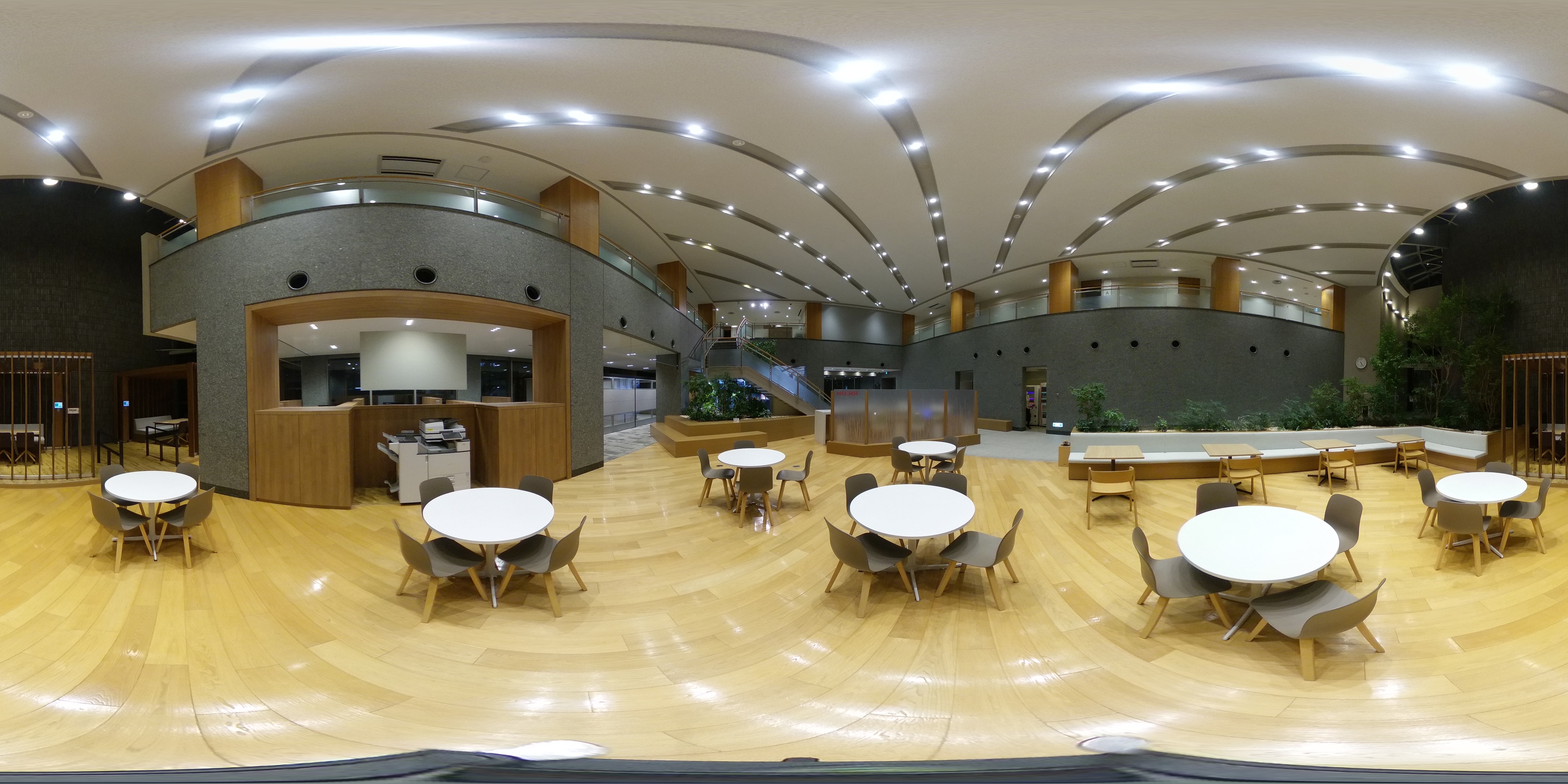
Image with [Weak]
【Example of Use in Real Estate Photography】
- Set to [Weak] if you want interior photos that retain the warmth of the lighting
- Set to [Strong] if you want property photos that are closer to the subject’s true colors
Compatible Models: RICOH THETA Z1 / SC2 / SC2 for Business
▶ Detailed steps here THETA Z1 / SC2 / SC2 for Business
・The following settings are now available on the RICOH THETA Z1.
① Saving Shooting Settings: Support has been added for a mode that retains shooting settings even after powering the camera off and on.
Even if you shoot with exposure compensation, ISO sensitivity, white balance, or other settings adjusted from their default values, you no longer need to reset them every time you turn the power back on.
【Recommended for】
- Those who shoot on location under the same conditions every time
- Those who adjust exposure and ISO for low-light or indoor shooting
- Those who want to minimize preparation time
▶ Detailed steps here
② Reduced Camera Reflection: We’ve added a feature to turn on or off the reflection of tripods or the camera body during still image capture.
Depending on your shooting purpose, select [ON] for a finished image with reduced reflections, or [OFF] for a finished image that prioritizes stitching accuracy in the downward direction.
【Recommended for these scenarios】
Set to [ON] for real estate photography when you prioritize a natural-looking floor finish over avoiding tripod reflections
▶ Detailed steps here
If you have any questions, please use the Help Center or Contact Form.