
Automatic upload settings can be made from the THETA settings screen
There are two ways to set up automatic upload, so please set it up according to your situation.
- Set up cloud connection and then set up automatic upload
- Set up automatic upload from the THETA settings screen (this manual)
Set up automatic upload from the THETA settings screen
Please set up automatic upload in a place where you can connect to the Wi-Fi you want to connect to.
1. Tap the THETA List icon

2. From the list of connected cameras, select the RICOH THETA A1 you want to connect to the cloud
3. Tap Automatic Upload under “Cloud Connection”
4. Turn on the RICOH THETA A1
5. Press the RICOH THETA A1's wireless button to enter Access Point Mode (direct connection with smartphone)
The wireless LAN mark will appear animated on the display panel.
6. Tap “Select Wi-Fi”

7. Press Fn key.

8. Tap Pair.

9. When the dialog box appears, tap Join and wait for a moment.


10. Check the Wi-Fi frequency you want to connect to, and then tap Next.
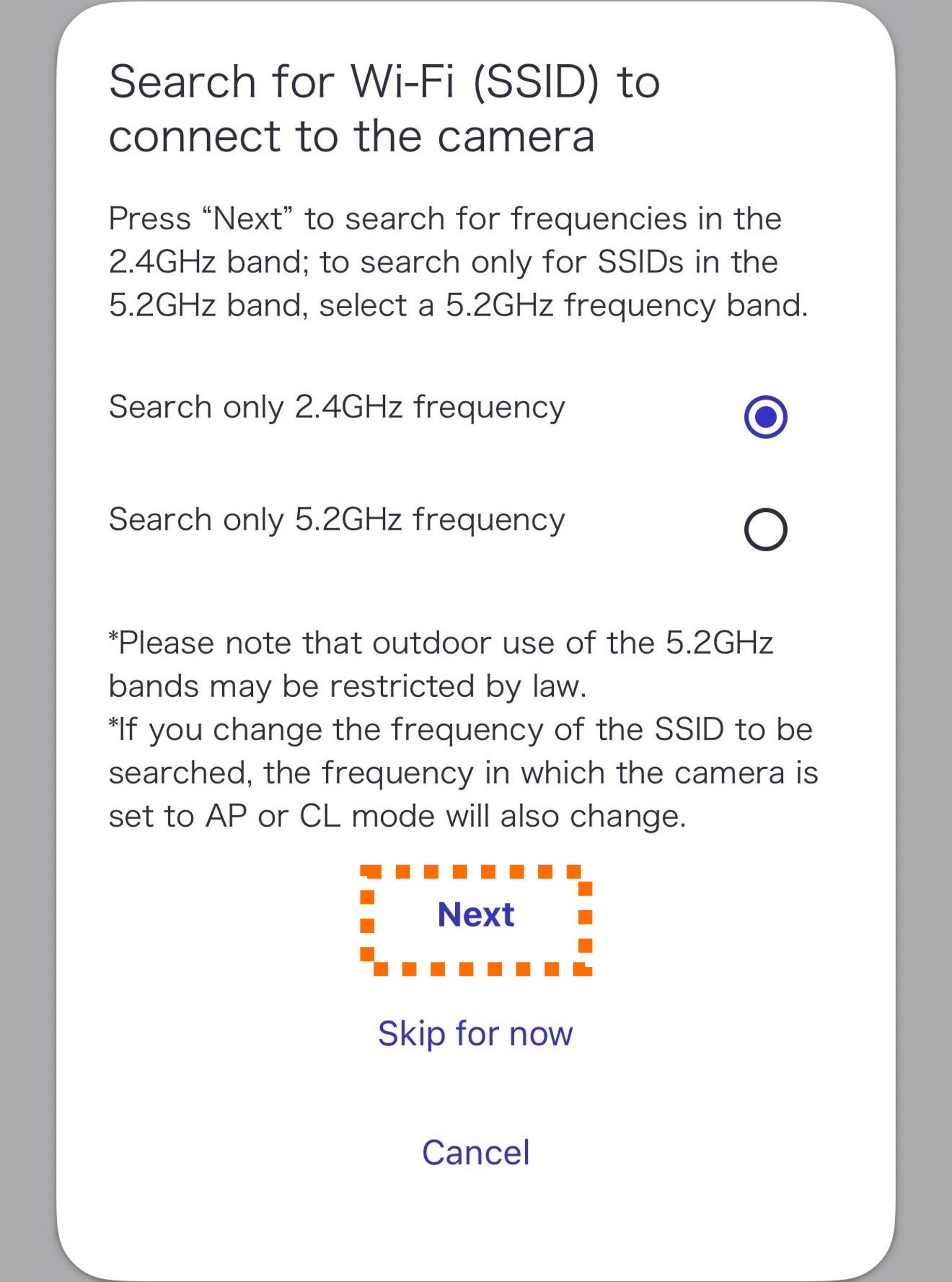
11. Select the SSID you want to connect to.

12. Enter the password and tap “Connect.”


When “Automatic upload setup is complete!” is displayed, the connection is complete.
