
Plugin Screen Description
Necessary preparations
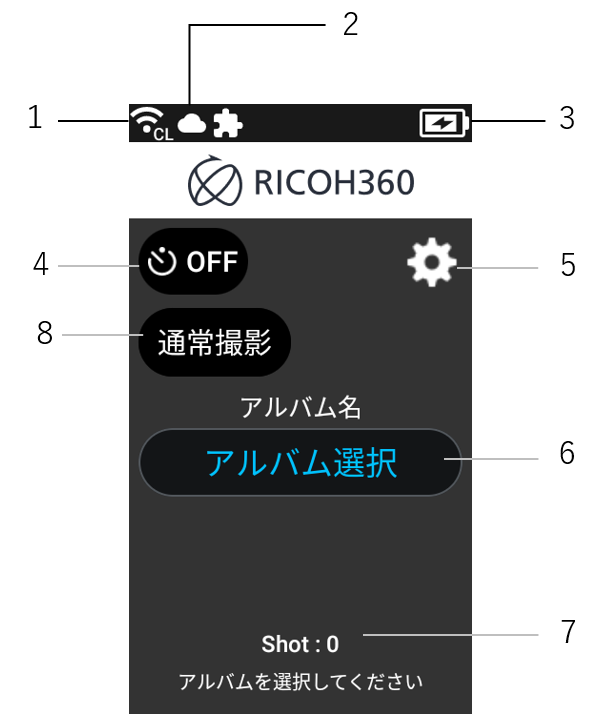
1. Wireless LAN Icon
Flashing: Wireless LAN not connected
Solid: Wireless LAN connected
2. Cloud Icon

Cloud not connected

Cloud connected

Cloud connected & Uploading

Insufficient Cloud storage capacity
3. Battery Icon

Remaining capacity display (USB not connected)

Charging (USB connected)
4. Self-Timer Button
5. Settings Button (Gear Icon)
6. Album Select Button
7. Number of Shots taken hr. of album select (change)
8. Shooting Method Select Button
Switches between Normal Shooting and Time Shift Shooting
Supplementary Information