
Upload Image to Cloud from Smartphone
Upload Images Transferred from THETA to Smartphone to Cloud.
Necessary preparations
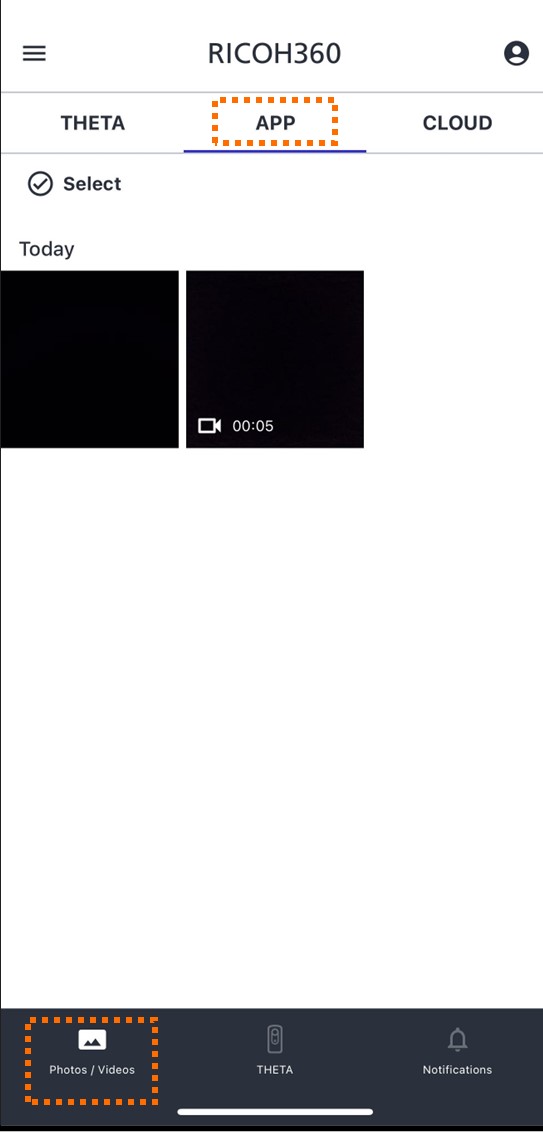
Tap "Photos/Videos" at the bottom of the screen
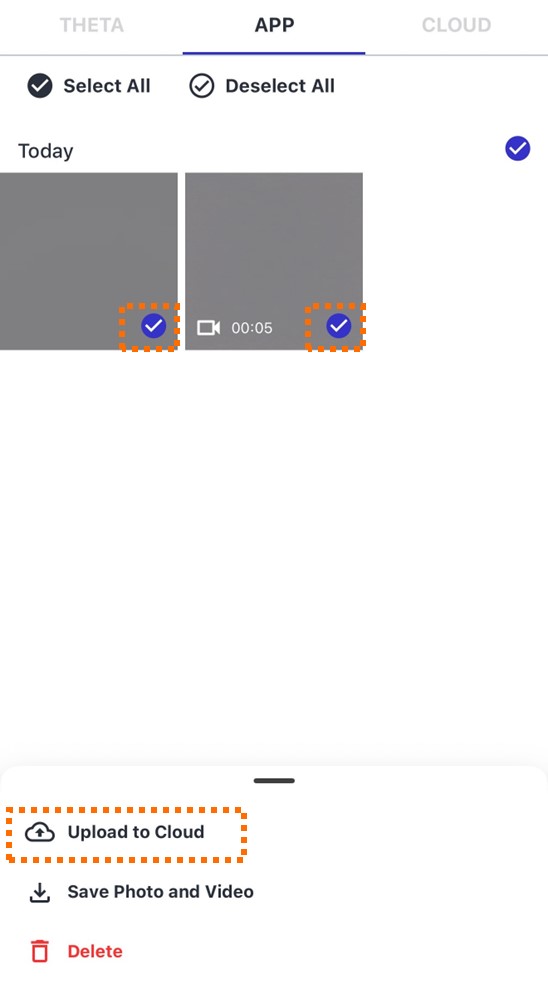
Tap Select
Tap the thumbnail of the photos you wish to upload
*Multiple selections are possible. However, if the selected photos contain RAW data, they cannot be uploaded. Please select only JPEG data, not including RAW data.
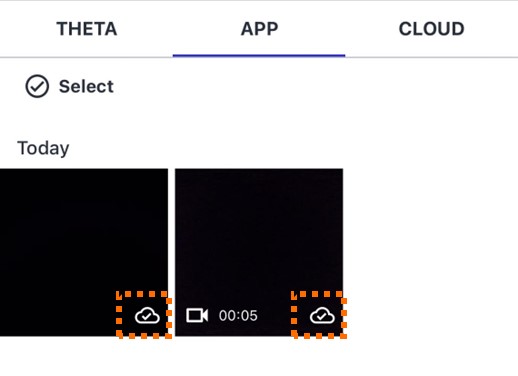
The thumbnail of the photos uploaded to RICOH360 Cloud will display an "uploaded icon" in the lower right corner.
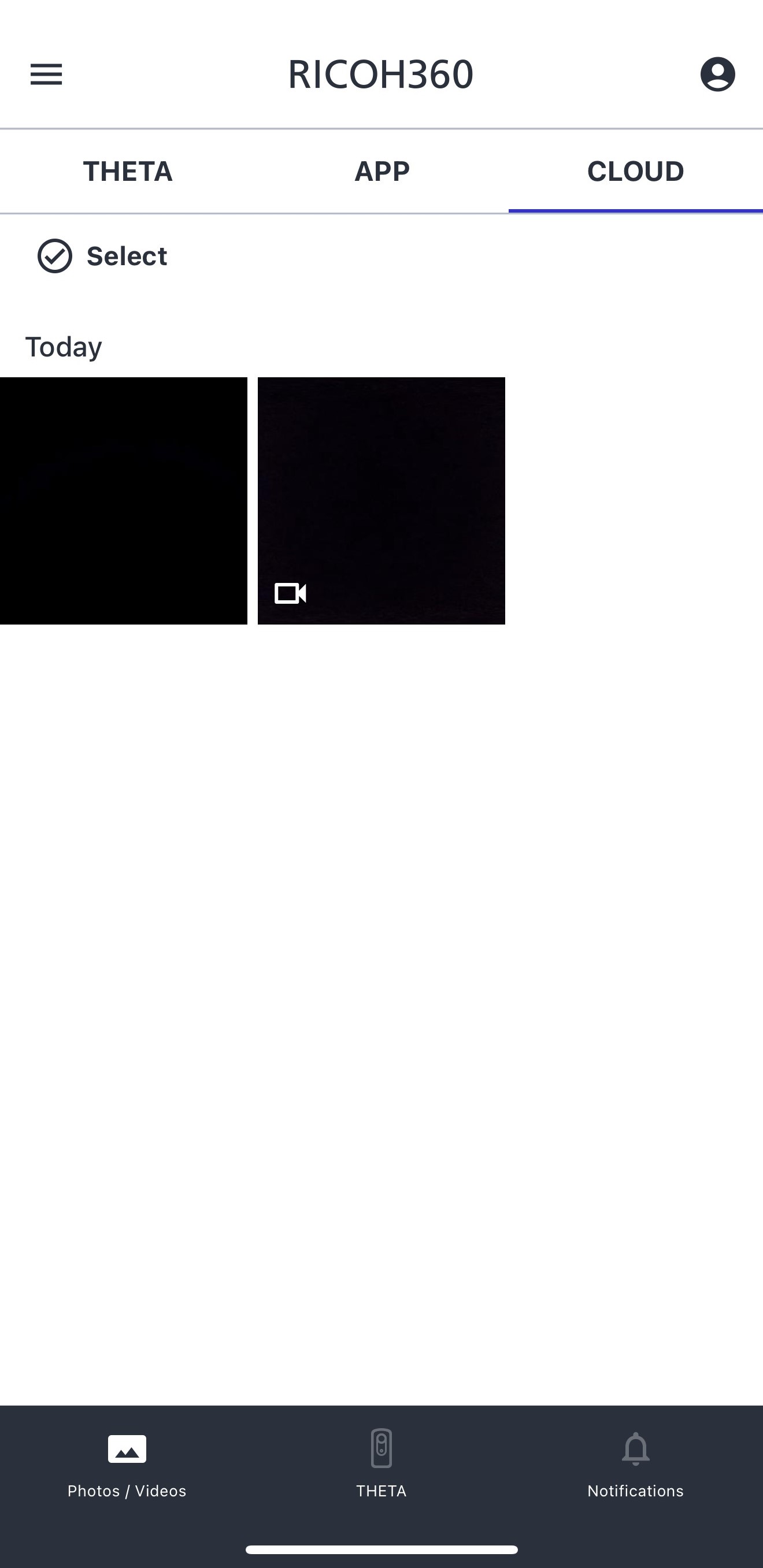
Uploaded images can be viewed from the “Cloud” tab under “Photos/Videos”.
Supplementary Information